Canvas - Substance Material
I needed a canvas material for some grain/rice sacks I was making. It's pretty straightforward and relies on a single high-frequency pattern with low frequency stain. Some distortion was applied to make the sack uneven. It's a great beginner Substance exercise.

In this shot, the material is tiled 2x.


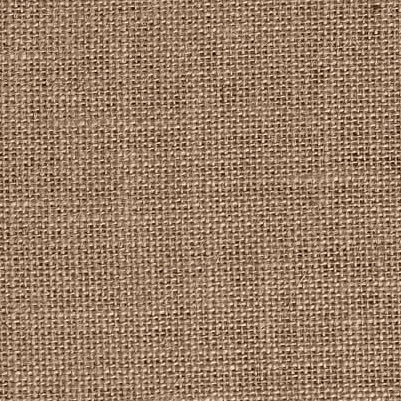
Reference image. There are tons of burlap/canvas styles out there. I chose this one because it looked straightforward.

Create a network of offset soft cylinders with dark space in between. Bevel a rectangle. A custom bevel profile helped the curvature. Do another that's slimmer and vertical. I subtracted one from the other at 50% on each blend. Offset one, blend them.

Place a Fur 3 node, rotate it 90 degrees, blend using Max/Lighten at 50%. Subtract that fuzz map from the cylinders. This gives the cloth grain effect. Now rotate that map, offset it to the black area, Max/Lighten it with the other, and tile.

Once it's tiled, it's far too uniform. Place a Directional Warp using a medium-sized Perlin Noise Zoom. Be careful not to distort too much. Now do it again but in another direction. Another low-res directional warp was done using a low res Crease node.

Use a grunge map to blend a brighter and darker version of the heightmap. Soft Light a brown color on it. Then offset, Max/Lighten the whole thing so the darkest areas are now filled and it doesn't look grid-like.

Make some slightly blurry scratches using the Scratches Generator. Blend Add them to the albedo using a very high contrast version of the heightfield. This helps give the thread a frayed look.

For Roughness, invert the heightfield, then do the same offset and blend we did earlier to fill in the grid. Adjust levels and I'm good with that. I like having some black in my roughness textures to give a bit of sparkle.

Complete Graph. Not too crazy.